

In order to use all the features of the Moedani Online website, you need to go through the registration process. We offer two registration methods: standard registration via email and quick login via Google or Yandex accounts.
1. Registration via Email
If you want to register via email, follow these steps:
- Go to the Moedani Online login page.
- Click the Login button and select Register if this is your first time on our site.

- Fill in the fields:
- Email: Enter your email address.
- Phone number: Enter your mobile number.
- Captcha: Enter the result from the image to confirm you are not a robot.
- Agreement with the terms: Check the box to confirm that you agree with the terms of service and the processing and transfer of your data.
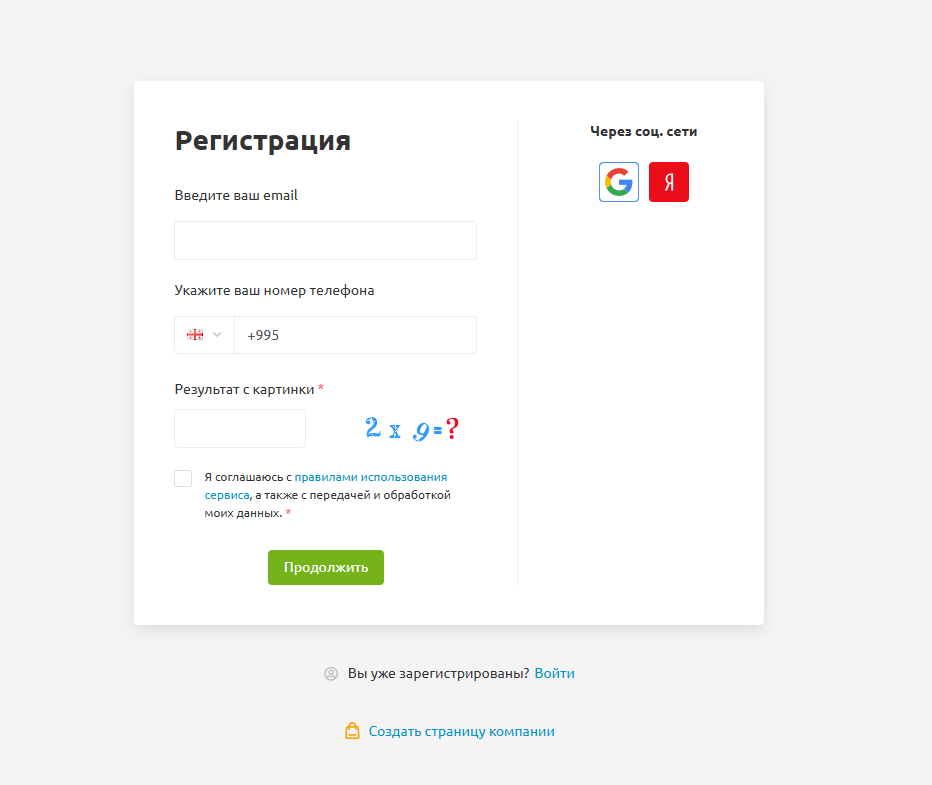
- Click the Continue button.
- A confirmation code will be sent to the email address you provided.
- Enter the code from the email to verify your email address.
- If you didn’t receive the confirmation email, check your Spam folder — the email may have been filtered there.
- Once you enter the code, you will see the message Your registration is complete!
- Your login details (username and password) will be sent to your email.
2. Registration via Google or Yandex
For quick access, you can use your Google or Yandex account. Follow these steps:
- On the login page, select the option Log in with Google or Log in with Yandex.
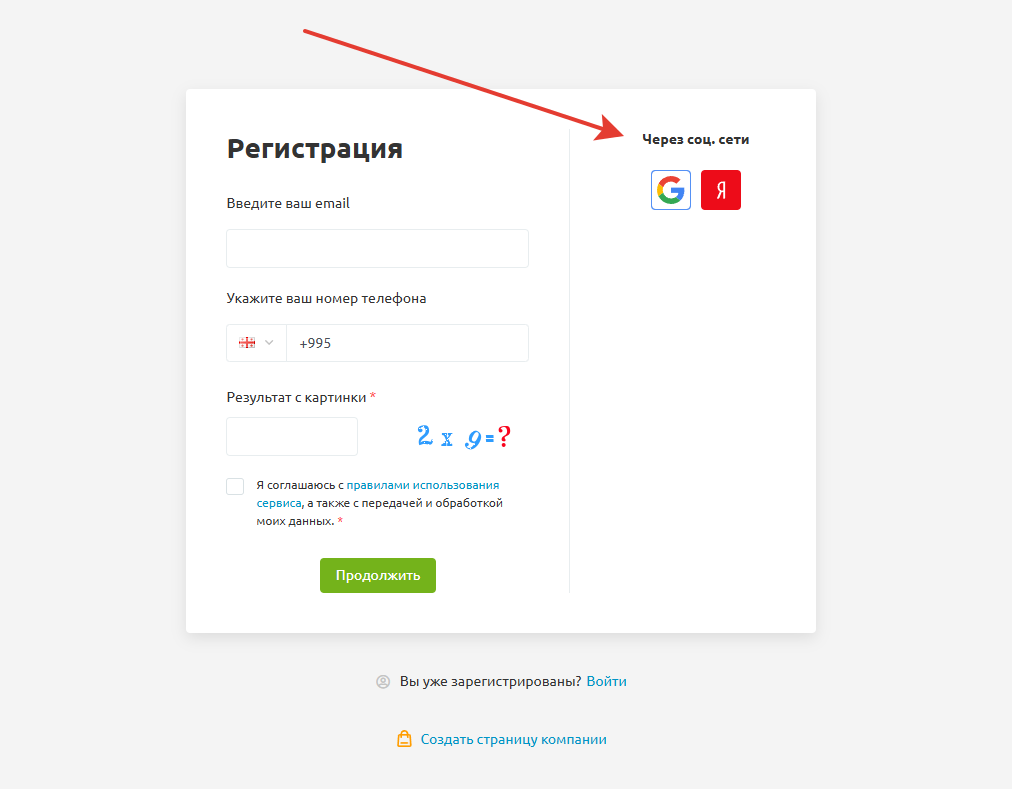
- If you choose Google, you will need to log into your Google account (if you haven’t already). If you don’t have an account, follow the instructions on the screen to create one.
- If you choose Yandex, you will be prompted to log into your Yandex account. If you don’t have an account, you will need to register.
- After successful authorization through one of the services, you will automatically be registered on Moedani Online and redirected to your personal page.
- All necessary data (username and password) will be automatically synchronized with your Google or Yandex account.
What to do if you have problems with registration?
If you encounter problems with registration, such as not receiving the confirmation email or being unable to log in through Google/Yandex, try the following steps:
- Check if you have entered your email and phone number correctly.
- Make sure the email didn’t end up in your Spam folder.
- If registration through Google or Yandex doesn’t work, try registering from another device or browser.
- If the problem persists, contact our customer support using the contact information on our website.